Article contents
- In short: what security checks show
- About the author and the method
- Story 1. The crypto exchange: a user could change the rate of their own transaction
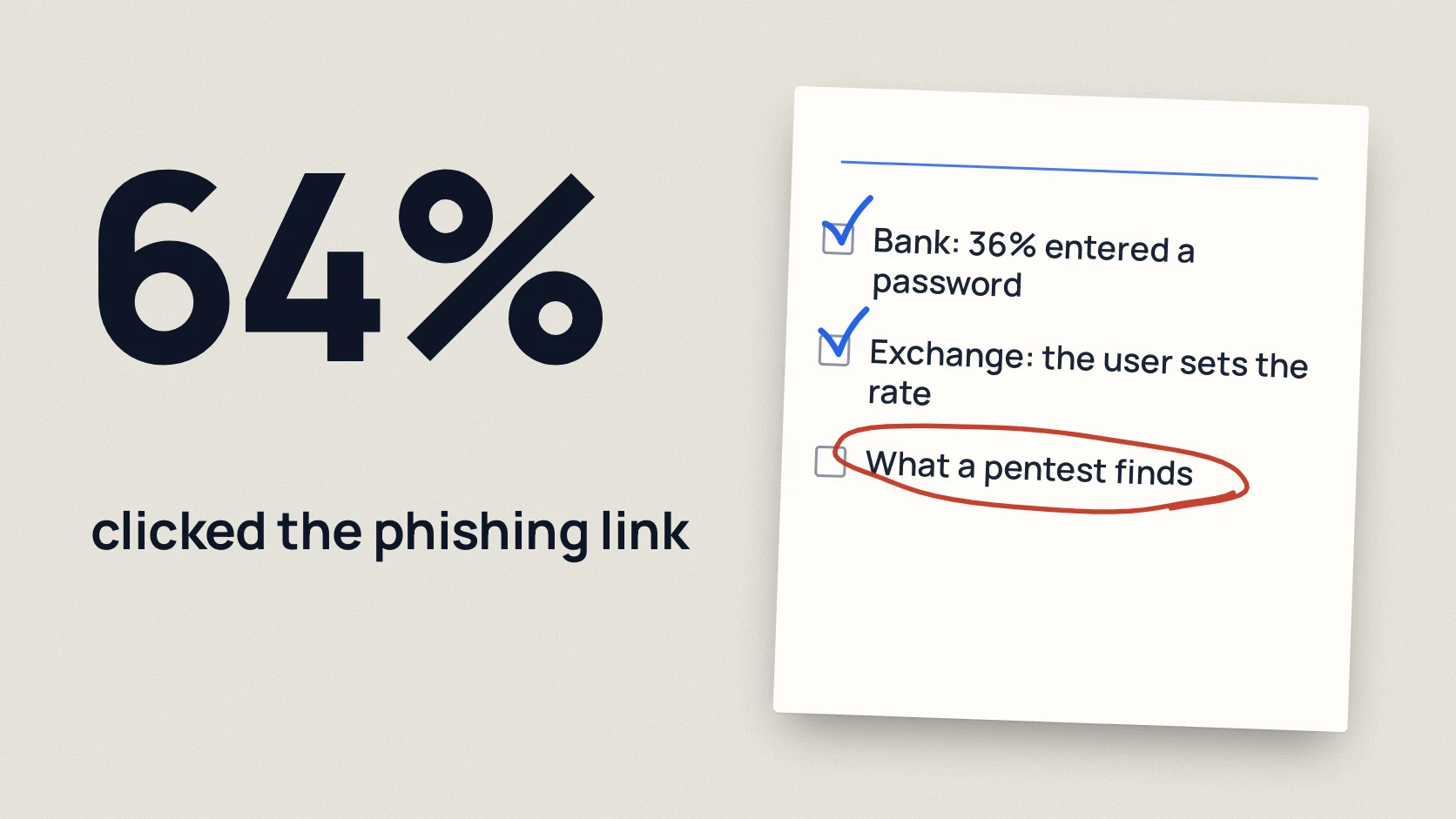
- Story 2. Phishing simulation: 64% clicked the link, 36% entered credentials
- 6 weak spots worth checking in a business
- What these examples mean for a pentest client
- Checklist: six first steps
- FAQ
- References
A pentest shows more than technical vulnerabilities. Sometimes the biggest risk hides in an ordinary business operation or in the way employees react to a fake email.
Our specialists found and carried out two telling cases: a critical business logic vulnerability at a crypto exchange, where an attacker could have withdrawn all funds available on the exchange at a rate of their own choosing, and a phishing simulation at one of the three largest banks in Ukraine (thousands of employees), where 64% of all employees clicked the link and 36% entered their login and password.
These cases are not a statistical sample. They show why it matters to test not only known technical vulnerabilities but also business logic, access rights and user behavior.
Below we look at six categories of risk: how they work, what consequences they can lead to and where to start checking. For international context we separately cite data from Verizon DBIR 2026, OWASP, NCSC, CERT-UA and other primary sources. That data is not Veiltrack client statistics.
In short: what security checks show
- Business logic: our specialists found a critical vulnerability at a crypto exchange: a user could change the exchange rate in their own transaction. An attacker could have withdrawn all funds available on the exchange at a rate of their own choosing, so the loss would have been limited only by the amount of funds held on the exchange.
- Phishing: in a training simulation at one of the three largest banks in Ukraine (thousands of employees), 64% of all employees clicked the link and 36% entered their login and password. Some did it repeatedly, using different combinations of credentials.
- Six categories to check: access rights in APIs, business logic, protecting accounts from phishing, mail domain settings, external services and access rights in the cloud.
- International context: Verizon DBIR 2026 reports that exploitation of vulnerabilities became the leading initial vector of breaches in the studied sample: 31%. The human element was present in 62% of breaches. [1] [2]
- Practical result: each category comes with a first step for checking it.
The author's main conclusion: having a technical control does not yet mean that a business operation or an account is protected from abuse. During a check it is important to establish not only whether a vulnerability exists but also which specific action a user or an attacker can perform and what consequences it leads to.
Two cases found and carried out by our specialists illustrate this difference: at the crypto exchange, a user could change the rate of their own transaction and withdraw funds; in the training phishing simulation, 36% of all the bank's employees entered their credentials, and some did so repeatedly.
This is not Ukrainian market statistics but two separate cases. The international figures from Verizon DBIR 2026 are given for context and should not be attributed to Veiltrack.
About the author and the method
This material was prepared by Vlad Kraevsky, founder of Veiltrack. He has worked in cybersecurity since 2019, has more than six years of pentesting experience and has led a team of pentesters.
This material combines three separate sources of knowledge:
- Anonymized cases from the practice of our specialists. The two stories below describe what our specialists found and carried out. We do not name the organizations, give the exact number of employees or state transaction amounts.
- Qualitative professional observations. The six categories are an expert overview of risks, not a ranking by frequency, number of findings or severity.
- External sources. OWASP standards, NCSC and Microsoft recommendations, Verizon DBIR 2026 data, CERT-UA reports and technical specifications. Their statistics are not transferred to Ukrainian companies without separate data.
We do not give the number of Veiltrack checks, the share of clients with particular vulnerabilities or estimates of financial losses, because there are no confirmed figures of that kind for this publication.
Story 1. The crypto exchange: a user could change the rate of their own transaction
Our specialists found a critical business logic vulnerability at a crypto exchange: a user could change the exchange rate in their own transaction, exchange funds on terms favorable to them and withdraw them.
The problem was not guessing a password or using an outdated software version. The system allowed a financial operation to run with a parameter that business rules were supposed to control.
What it could have led to. An attacker could have withdrawn all funds available on the exchange at a rate of their own choosing, so the loss would have been limited only by the amount of funds held on the exchange.
Why this matters for the business. If a system checks the price, rate, fee or limit incorrectly, the risk appears without any need for administrator rights. The user can stay within their own account but perform an operation the business never intended.
OWASP WSTG treats business logic testing as a separate area and explains the limits of automated discovery of such problems. [4]
What to check first. For operations involving money, check which parameters come from the client, which values the server decides and whether the intended order of steps can be changed. Pay special attention to the exchange rate, the amount, the fee, the limits and repeated execution of operations.
Takeaway for the business owner: a system can correctly accept and execute a request, and the result of the operation can still contradict the business rules. So it is not enough to test a financial function only for standard technical vulnerabilities: you also need to find out who controls the critical parameters of the operation and whether the system can reject an unacceptable change.
Key question for the check: can an ordinary user gain a financial advantage by changing the parameters or the order of operations that the system lets them perform?
More in the article on fintech and payment security testing.
Story 2. Phishing simulation: 64% clicked the link, 36% entered credentials
Our specialists ran a training phishing simulation at one of the three largest banks in Ukraine (the name is not disclosed). The bank has thousands of employees. Results:
- 64% of all employees clicked the link in the test email.
- 36% of all employees entered their login and password on the training page.
Some employees entered their credentials repeatedly, sometimes using different combinations of logins and passwords. This happened because the page reloaded after the form was submitted.
What these numbers mean. Both percentages are calculated from all of the bank's employees, not only from those who opened the message or clicked the link.
These are the results of one training simulation at one large bank. They do not mean that 64% of employees at Ukrainian banks click phishing links or that 36% of employees at Ukrainian companies give away their passwords. Likewise, 36% of employees entering data is not the same as 36% of accounts being compromised.
Why this matters. Clicking a link and entering credentials are different events. To assess the risk it is not enough to count clicks: you need to separately assess users' readiness to enter data on a page they take for a real one.
Repeated entry after the form reloaded also shows that a failed or confusing sign-in flow does not necessarily make a person stop.
What to do. Employee training should be combined with technical protection of accounts. The UK NCSC recommends preferring FIDO2 over MFA methods that use codes. [5]
Separately, provide a simple way to report suspicious emails, and check not only clicks on links but also the follow-up actions in the training scenario.
Takeaway: the result of a phishing simulation cannot be judged by clicks alone. In this case 64% of all employees clicked the link, 36% of all employees entered their login and password, and some repeated the entry after the form reloaded.
These observations describe three different aspects of behavior: clicking the link, entering credentials and repeated attempts to enter them.
For the client this means that a simulation report should explain not only the number of clicks but also the participants' subsequent actions. Otherwise an important part of the result of the check goes unnoticed.
How such a check works is described in the article on phishing simulation for employees.
6 weak spots worth checking in a business
Below are six categories of risk worth paying attention to when checking web applications, APIs, external infrastructure, email and cloud accounts.
This is not a ranking of the most common vulnerabilities in Ukraine. We do not rank them by number of projects, prevalence or CVSS score.
For each category we explain the essence of the problem, the possible impact on the business and a first practical step. Public primary sources are given as technical grounding or international context, not as proof of how often Veiltrack clients have such findings.
1. Access to other people's data through the API (IDOR / BOLA)
What it is. The server may identify the user correctly but check too little whether they have the right to a specific object: an account, a document, a profile or an operation.
Why this matters. An authorization error at the object level can allow viewing or changing other people's data. The scale of the consequences depends on which objects are exposed and what actions the API allows.
The OWASP API Security Top 10 2023 lists Broken Object Level Authorization (BOLA) as API1:2023. [3]
First step. Create two test accounts with different rights to data. Check whether the first user can read or change the second user's objects through the API. Access control must be enforced by the server for every operation, not only by the application interface. More in the article on website and API security testing.
2. Business logic errors
What it is. An application may process each individual request correctly but still allow actions that contradict the business rules: changing financial parameters, repeating an operation or skipping a mandatory step.
Why this matters. Such errors can affect money and operational processes directly. The crypto exchange example above shows how an ordinary user could carry out an operation on terms favorable to them because of incorrect control of the exchange rate.
OWASP WSTG explains that testing business logic requires understanding the application's processes and often cannot be fully replaced by automated scanning. [4]
First step. Identify the operations that affect money, balances, bonuses, fees or user rights. For each one, check the source of the critical parameters, the permitted order of actions and the possibility of repeated execution.
Takeaway: the risk depends not only on a technical vulnerability but also on which business action the system allows to be performed.
3. Phishing and MFA that can be bypassed
What it is. An employee enters a password on a fake page. If there is no second factor, or it is a code from an SMS or an app, the attacker can intercept that too.
Why this matters. The human element is present in 62% of breaches according to DBIR 2026. [2] The UK NCSC writes that codes from apps and hardware generators are vulnerable to phishing with code interception, and push approvals give only partial resistance because of the "request fatigue" attack. FIDO2 provides resistance to phishing: security keys and passkeys. [5]
Phishing is also used against Ukrainian organizations. The CERT-UA report of 21 May 2026 describes mailings sent from compromised accounts of government organizations. [6] This describes a specific campaign, not statistics of phishing among Ukrainian companies.
What to check separately. Having MFA on the main corporate service does not guarantee that all other sign-in methods are protected equally. Check VPN, mail protocols, administrative interfaces and other external authentication points.
For accounts with critical privileges, separately assess whether phishing-resistant MFA is used, in particular FIDO2 keys or passkeys. [5]
First step. Turn on MFA everywhere there is a sign-in from outside, and start with FIDO2 keys or passkeys for administrators and the finance team. In parallel, run a phishing simulation and count clicks on the link and entry of credentials separately. For email setup and phishing response, read the article on protecting email from phishing.
4. Mail domain protection settings (SPF, DKIM, DMARC)
What it is. SPF defines the permitted sources of mail sending, DKIM makes it possible to verify a message's cryptographic signature, and DMARC ties the results of these checks to the domain in the From field and sets a policy for handling messages that fail authentication.
Why this matters. A wrong configuration can make it easier to spoof the sender's domain. NCSC recommends using these mechanisms against email spoofing. [7]
RFC 9989 describes DMARC and replaces RFC 7489. [8] Google requires SPF and DKIM, and also DMARC from senders who send more than 5000 messages a day to personal Gmail addresses. For other senders the basic requirement is SPF or DKIM. [9]
What to check separately. Do not limit yourself to the main mail domain. Check all corporate domains, including those no longer used for regular correspondence.
Look at domains without DMARC, the correct authentication of legitimate senders and the p=none policy. It is meant for monitoring and by itself does not require the recipient to reject messages that fail DMARC. [8]
Before moving to quarantine or reject, check the legitimate mail sources so you do not break the delivery of work messages.
First step. Check SPF, DKIM and DMARC for all your domains. Set up DMARC reporting, make sure legitimate mail sources pass authentication, and after checking move from monitoring to the quarantine or reject policies.
Important limitation. SPF, DKIM and DMARC do not protect against all kinds of phishing, in particular against emails sent from a genuinely compromised mailbox.
5. Forgotten external services and old software versions
What it is. A test server, an old admin panel, a VPN gateway or a service forgotten after an administrator left. It is reachable from the internet and has not been updated for a long time.
Why this matters. A forgotten service can stay reachable from the internet without regular updates and without control by a responsible owner.
According to Verizon DBIR 2026, exploitation of vulnerabilities became the most common initial vector of breaches in the studied sample: 31%. In the dataset of vulnerabilities that were in CISA KEV, only 26% of findings were fully remediated across all detected instances, and the median time to full remediation was 43 days. These are figures from the study's sample, not statistics of Ukrainian companies. [1] [2]
OWASP API9:2023 separately describes the risks of improper API inventory management. [3]
What to check separately. Compare the internal IT asset register with the domains, IP addresses and services actually reachable from the internet. Pay special attention to test environments, old administrative panels and services for which it is hard to identify an owner.
Result criterion: for every asset reachable from the internet it should be clear why it is needed, who is responsible for it, how its availability is controlled and whether it needs an update.
First step. List everything visible from the internet: domains, subdomains, IP addresses, services. Switch off what is unnecessary, and for the rest compare versions with the CISA KEV catalog [11] and update first the ones that appear in it. Regular vulnerability scanning helps you avoid coming back to this once a year.
6. Excess rights in the cloud and Microsoft 365
What it is. Too many people have global administrator rights, service accounts have full access "just in case", and the rights of former employees and contractors are not revoked.
Why this matters. Excessive administrative rights increase the possible consequences of a compromised account.
Verizon DBIR 2026 states that in the studied sample of third-party cloud environments, the time to remediate half of the findings related to weak passwords and incorrect access rights reached almost eight months. This data is not an assessment of the state of Microsoft 365 in Ukraine. [2]
Microsoft recommends the principle of least privilege, temporary granting of rights through Privileged Identity Management, regular access reviews and fewer than five global administrators. [10]
What to check separately. Find out which accounts have administrative rights in Microsoft 365 and other cloud environments. Check the activity of accounts of former employees and contractors, the scope of service account rights, and the validity periods and revocation process of access keys.
Result criterion: every privileged right must have a justified purpose. If a right is no longer needed for a task, it should be revoked or restricted. [10]
First step. Export the list of all accounts with administrator roles, keep the minimum, and give the rest narrower roles. A step-by-step check is described in the articles on Microsoft 365 security check and cloud pentest for AWS, Azure and GCP.
What these examples mean for a pentest client
The main task of a check is to show not only the name of a vulnerability but also the action it allows and what that can lead to for the business.
Three conclusions from the practice of our specialists
- Financial risk can arise within an ordinary account. In one case, a crypto exchange user could change the rate of their own transaction, complete the exchange on favorable terms and withdraw the funds; an attacker could have withdrawn all funds available on the exchange. This example shows why business logic testing should cover not only technical errors but also the rules for executing financial operations.
- A click and entering a password are different indicators. In one training phishing simulation at one of the three largest banks in Ukraine, 64% of all employees clicked the link and 36% of all employees entered their login and password. These are two indicators with the same calculation base but different meanings.
- Repeated data entry also matters. During the same simulation, some employees entered different combinations of credentials after the form reloaded. So the analysis of behavior should not stop at counting the first interaction with the page.
Source of the examples: the practice of our specialists, described by Vlad Kraevsky, founder of Veiltrack. This is not a statistical study and not a representative sample of Ukrainian companies.
That is why the results of a check should be assessed taking into account technical severity, the accessibility of the vulnerable function, the possible abuse scenario and the business consequences. A CVSS score is useful but does not replace the analysis of a specific scenario.
If you want a specialist to check these six points in your company by hand, start with the pentest page.
Checklist: six first steps
Download the preparation checklist (PDF)PDF · A4
How we run such checks is described on the page how Veiltrack runs a pentest; there you can also download a demo report on a fictional application.
Author: Vlad Kraevsky, founder of Veiltrack. In cybersecurity since 2019, more than six years of pentesting experience, experience leading a team of pentesters.
FAQ
Where do the stories come from and why do they have no names?
These are anonymized cases from the practice of our specialists, without names, dates or details that could identify a company.
Can 64% and 36% be treated as phishing statistics for Ukraine?
No. These are the results of one training simulation at one large bank, and both percentages are calculated from all of its employees. It is one simulation, not statistics for Ukraine. Representative statistics need many organizations and a single methodology, so for international context we separately cite public studies: Verizon DBIR 2026, OWASP, NCSC, CERT-UA.
Which weak spot should I fix first?
The one that leads to money or to large volumes of data: payment business logic, access to other people’s objects in the API, and administrator accounts without phishing-resistant MFA. After that, email and forgotten services.
Is it enough to teach employees not to click links?
No. In the phishing simulation from this article, 64% of all employees clicked the link and 36% entered their login and password. Training is needed, but it should be combined with technical protection: NCSC recommends preferring FIDO2 over MFA with codes. [5]
Can I use this material in publications?
Yes, with a link to this page and the attribution "Source: practice of our specialists, described by Vlad Kraevsky, founder of Veiltrack". Do not present these cases as "Veiltrack research" or "statistics of Ukrainian banks". It is better to cite figures from third-party studies from the primary sources in the list below.
References
- Verizon: 2026 Data Breach Investigations Report news release (19 May 2026) verizon.com
- Verizon: 2026 Data Breach Investigations Report (full report) verizon.com
- OWASP Top 10 API Security Risks 2023 api-security.owasp.org
- OWASP Web Security Testing Guide: Introduction to Business Logic github.com
- NCSC: Multi-factor authentication for your corporate online services. Recommended types of MFA ncsc.gov.uk
- CERT-UA: Updated UAC-0057 toolset: OYSTERFRESH, OYSTERSHUCK and OYSTERBLUES (21.05.2026) cert.gov.ua
- NCSC: Email security and anti-spoofing ncsc.gov.uk
- RFC 9989: Domain-Based Message Authentication, Reporting, and Conformance (DMARC) rfc-editor.org
- Google Workspace Admin Help: Email sender guidelines support.google.com
- Microsoft Learn: Best practices for Microsoft Entra roles learn.microsoft.com
- CISA: Known Exploited Vulnerabilities catalog data github.com