Article contents
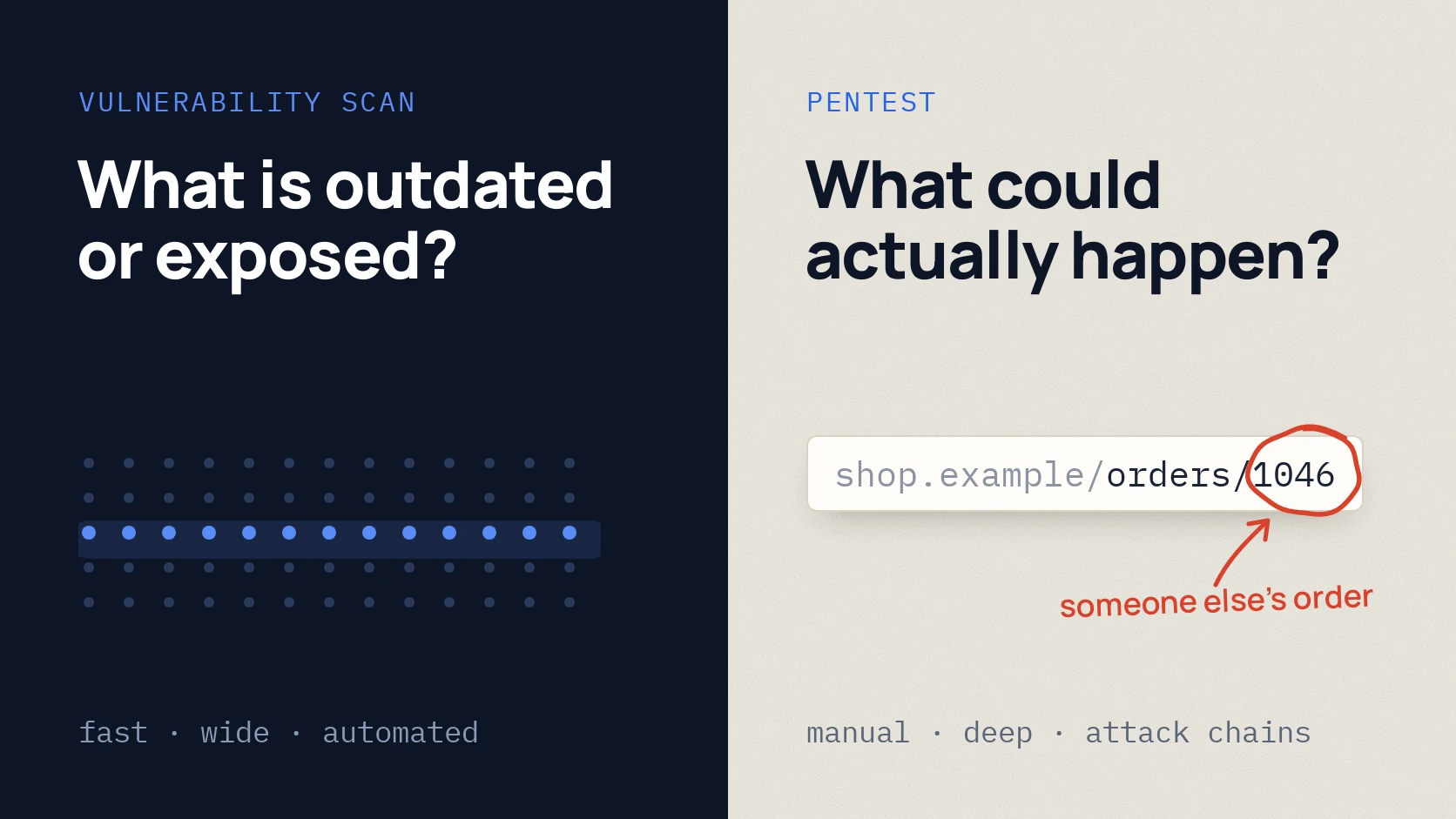
A vulnerability scan automatically checks many systems for known problems: outdated versions, exposed services, unsafe settings. A penetration test is done by a person who checks whether those weak spots can actually be used to reach other people’s data, money or access. A scan answers “what is outdated and exposed”, a pentest answers “what could really happen”.
You need both, for different things. Below is a comparison, an example where the scanner stays silent although the problem is real, and how to decide where to start.
In short
- A scan is fast and wide: hundreds of addresses in a few days, known vulnerabilities and settings. Good for regular control.
- A pentest is deep and manual: application logic, access rights, chains of several small issues. Good before a launch, after big changes or when a partner asks for it.
- A scanner does not see that a customer can open someone else’s order by changing the number in the address. A pentester checks exactly that.
- A sensible routine: regular scanning, a pentest once a year and after big changes.
Comparison
| Vulnerability scan | Penetration test | |
|---|---|---|
| Who does it | A tool, a person reviews the results | A person, helped by tools |
| Question | What is outdated, exposed or misconfigured? | What could an attacker actually do? |
| Breadth | Many systems at once | Agreed systems, but in depth |
| Finds | Known vulnerabilities (CVEs), old versions, weak settings | Broken access control, other users’ data, logic flaws, attack chains |
| Misses | Business logic, rights between users | Whatever was outside the agreed scope |
| Duration | Usually a few days | Usually a week or more, depending on scope |
| Output | A prioritised list of issues | Reproduced findings, business impact, order of fixes |
| How often | Regularly: monthly or quarterly | Once a year and after big changes |
NIST and PCI SSC describe these as separate kinds of work and state plainly that one does not replace the other. [1] [2]
Where the scanner is silent but the problem is real
An online shop. A customer logs in and opens an order at an address like /orders/1045. They change the number to 1046 and see someone else’s order: name, phone, delivery address.
For a scanner everything is fine: the page responds, login works, no known vulnerable versions. The flaw is that the system does not check whether the order belongs to this customer. OWASP describes such authorisation checks as a separate part of web application testing. [3] Only a person thinking like an attacker finds it.
The opposite case: an old PHP version or an exposed admin panel is left on a server. A scanner finds it in minutes, while a pentester could spend that time better on the application’s logic.
What to choose in your situation
Start with a scan (Vulnerability Assessment) if:
- you have many websites, servers or services reachable from the internet;
- security has not been checked for a long time and the obvious needs clearing first;
- you need regular control between pentests.
Choose a pentest if:
- you have your own product: a customer area, an API, payments, user data;
- you are preparing a launch, a big update or a new integration;
- a partner, client or regulator asks for an independent test.
Both, if the product matters to the business: regular scanning, a pentest once a year and after big changes. If the company already has a security team, the next step is a Red Team: checking whether a real attack would be noticed and stopped.
If the risks sit in several places at once (email, accounts, website, staff), it is easier to bring the tests together in one program with one report.
Common mistakes
- Buying a scan labelled “pentest”. Ask how much time a person works and what exactly they check by hand. More questions are in how to choose a penetration testing company.
- Getting a raw scanner report. Hundreds of lines no person has reviewed: some are false alarms, and the real problems get lost.
- Running a pentest before fixing the known issues. If a scanner finds dozens of old versions, the pentester spends time on the obvious. Clear it first.
- Treating untested systems as safe. Both a scan report and a pentest report should say clearly what was not tested.
Checklist before you order
Download the preparation checklist (PDF)PDF · A4
FAQ
Can a scan replace a pentest to save money?
No, they answer different questions. A scan is cheaper and useful regularly, but it will not find logic flaws or broken access rights. For a product with customer data a scan alone is not enough.
How long does each take?
A scan usually takes a few days including the review of results. A pentest depends on scope: for a small web application usually a week or more, longer for several systems.
Can a scan harm a live system?
Active scanning creates load, so it is agreed in advance: which addresses, when and how intensively. No active testing is done without written permission.
What is a Vulnerability Assessment?
It is vulnerability scanning plus manual review: a specialist removes false alarms, rates the risk and explains what to fix first.
How often should we scan and pentest?
Scan regularly, for example monthly or quarterly. Pentest once a year and after big changes to the product or infrastructure.
References
- NIST SP 800-115: Technical Guide to Information Security Testing and Assessment csrc.nist.gov
- PCI SSC: Penetration Testing Guidance v1.1 (2017) pcisecuritystandards.org
- OWASP Web Security Testing Guide: Introduction wstg.owasp.org